


Bring meeting audio and uploads into one case workspace.
Kapacia features
Features built for trusted advisory records.
Kapacia helps firms capture client conversations, generate session and case-level summaries, draft follow-up emails, approve records, manage visibility, and prepare cleaner follow-up work.
Bot-free recording
10 supported languages
Case owner approval
Singapore hosted

Human context
Built for high-trust client conversations.
Kapacia supports the work that happens around sensitive advisory conversations. Advisors can capture meetings without adding a visible meeting bot, while remaining responsible for consent, review, and approval.
More than transcription
A workflow product for the record after the meeting.
Kapacia is designed around the practical work that follows client conversations: structuring session details, building case context across time, preparing client follow-ups, and keeping the case owner in control.
Generate configured summaries, notes, and missing-detail prompts.
Keep drafts separate until the case owner confirms the working record.
Capture
Capture advisory conversations without adding friction to the call.
Advisors can record conversations without inviting a meeting bot into the session, upload audio when needed, and retain a clear history of meeting sessions within the relevant case.
- Bot-free recording
- Audio recording and upload
- Session history
- Consent-aware recording practices
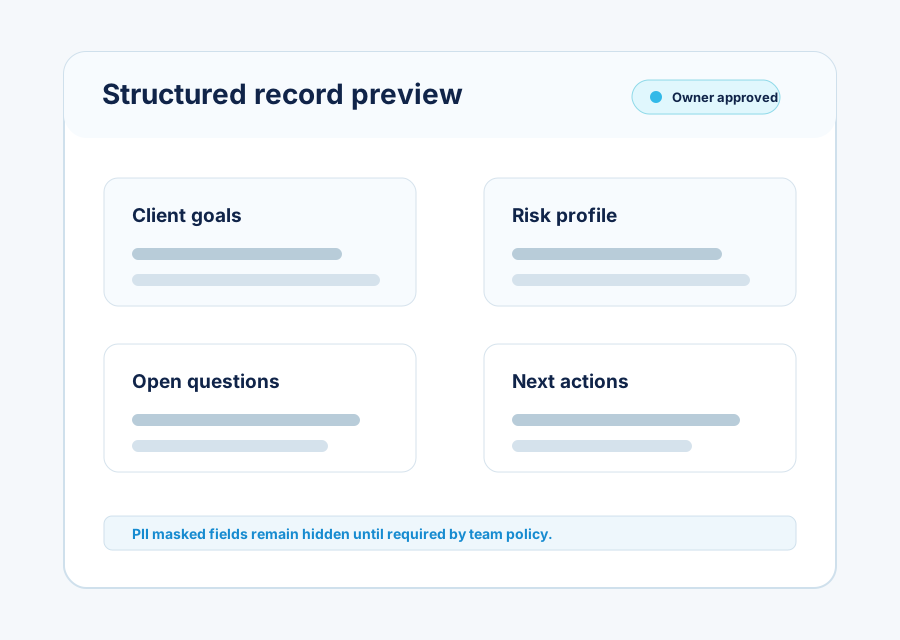
Session summaries
Turn each meeting into a structured advisory note.
Kapacia creates session summaries and structured notes that can capture key client facts, goals, concerns, preferences, next steps, and prompts for missing or incomplete details.
- Configurable session summary prompts
- Custom templates and output structure
- Missing-detail prompts for owner review
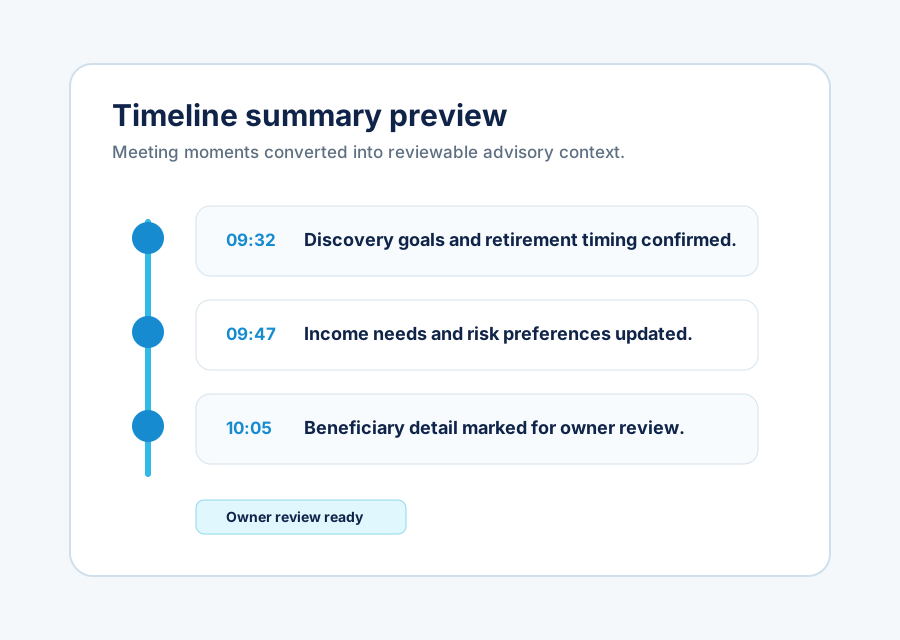
Timeline summaries
Build case-level context across multiple sessions.
A case can contain multiple sessions. Kapacia helps summarise the timeline across those sessions, including changes over time, latest confirmed information, and a case-level view for the advisor and team.
- Customizable timeline summary prompt
- Changes and confirmations over time
- Case-level view for advisor and team
Follow-up Email Draft
Client review meeting next steps
Follow-up drafts
Prepare follow-up emails from approved session records.
Kapacia can draft follow-up emails using confirmed facts and next steps, reducing manual rewriting after meetings. Advisors review and edit drafts before anything is sent.
Owner approval
Keep AI-generated drafts separate from approved records.
The case owner reviews, edits, and approves generated outputs. Only approved information becomes part of the working record used for follow-ups, proposals, or management review.
Generated output
Session summaries, notes, and follow-up material remain draft content.
Case owner edits
The case owner checks facts, context, wording, and missing details.
Working record
Approved information becomes the source for onward advisory work.
Visibility
Give teams a clearer view of advisory activity and record status.
Kapacia helps teams track meeting activity, session status, approval status, advisor consistency, client engagement quality, and team-level visibility. Deeper team access control is covered under Data Control.
See captured sessions and current work in progress.
Understand which records are drafts and which are owner approved.
Review how consistently key advisory context is captured.
Spot open items, missing details, and follow-up readiness.
Guided onboarding
Set up Kapacia around your advisory workflow.
Guided onboarding helps firms align prompts, templates, data structure, approval process, team setup, and rollout support before expanding usage.
Prompt setup
Shape session and timeline prompts around recurring workflows.
Template setup
Align note, summary, and follow-up templates to team record expectations.
Data structure alignment
Map fields, case context, record states, and required review details.
Approval workflow setup
Configure draft, review, and owner-approved states around the team process.
Role/profile setup
Set up advisor profiles, owner roles, management views, and team permissions.
Team training
Prepare advisors and managers to capture, review, approve, and follow up consistently.
See Kapacia in workflow